
User Boarding in Salesforce CDP
Salesforce Internship
June 2021 - August 2021 (In Production)
Design Systems, User Research, Experience Design, Information Architecture, Design Strategy
Salesforce CDP is a unified customer data platform. It provides a single source of truth — providing more intelligent, actionable, and trusted data at your fingertips: Salesforce CDP Product Website ↗
I worked on researching and exploring how to best assist new onboarding users.
To comply with my non-disclosure agreement, I have omitted and obfuscated confidential information in this case study. All information in this case study is my own and does not necessarily reflect the views of Salesforce.
“My personal anecdotes and thoughts will be in quotes and in blue”
Tools
Figma
Quip
Zoom
Skills
User Research
Information Architecture
Design Strategy
Experience Design
Design Systems
Communication and Presentation Skills
Team
Som Liengtiraphan (Me, Product Design Intern)
Maryam Rabbanifard (Design Manager)
Jamin Hall (Director, Product Design)
Vineeth Nair (Principal Product Designer)
Ashton Landry (Senior Product Designer)
Salesforce Data & Identity Design Team
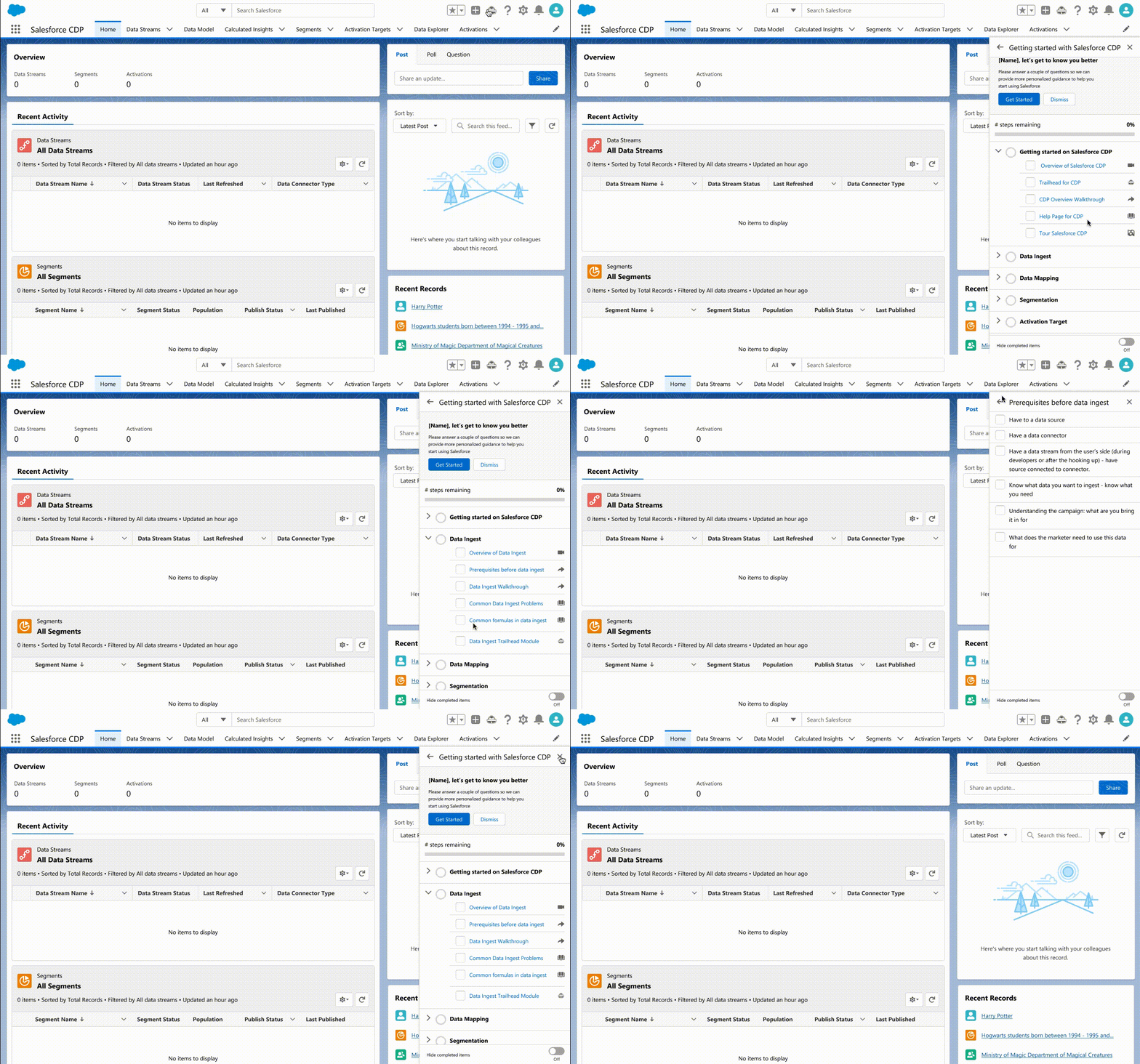
Above: Checklist design using user engagement components from Lightning Design System to improve user onboarding for CDP
Impact and Contributions
Designed user journeys and interactions to improve user onboarding, engagement, and education within CDP.
Conducted design audit of CDP user journey and located 70+ possible user engagement locations to assist users
Created comprehensive and reusable user journeys of all features in CDP still used by the design team to onboard new team members and to more efficiently design features
Designed 3 ready-to-develop concepts to improve user onboarding, engagement, and education within CDP
Created dependency charts to map out the interconnections within the product and external connections that product prerequisites for users
Transferred old CDP components from Sketch to Figma to reduce the ramp-up time for my team onto Figma
“Outside my project, I also worked with Ashton to teach Figma prototyping skills capabilities, including advanced prototyping to help support future company-wide demos. As Salesforce was moving towards Figma, I jumped at the chance to help transition the org to this new UX software.“
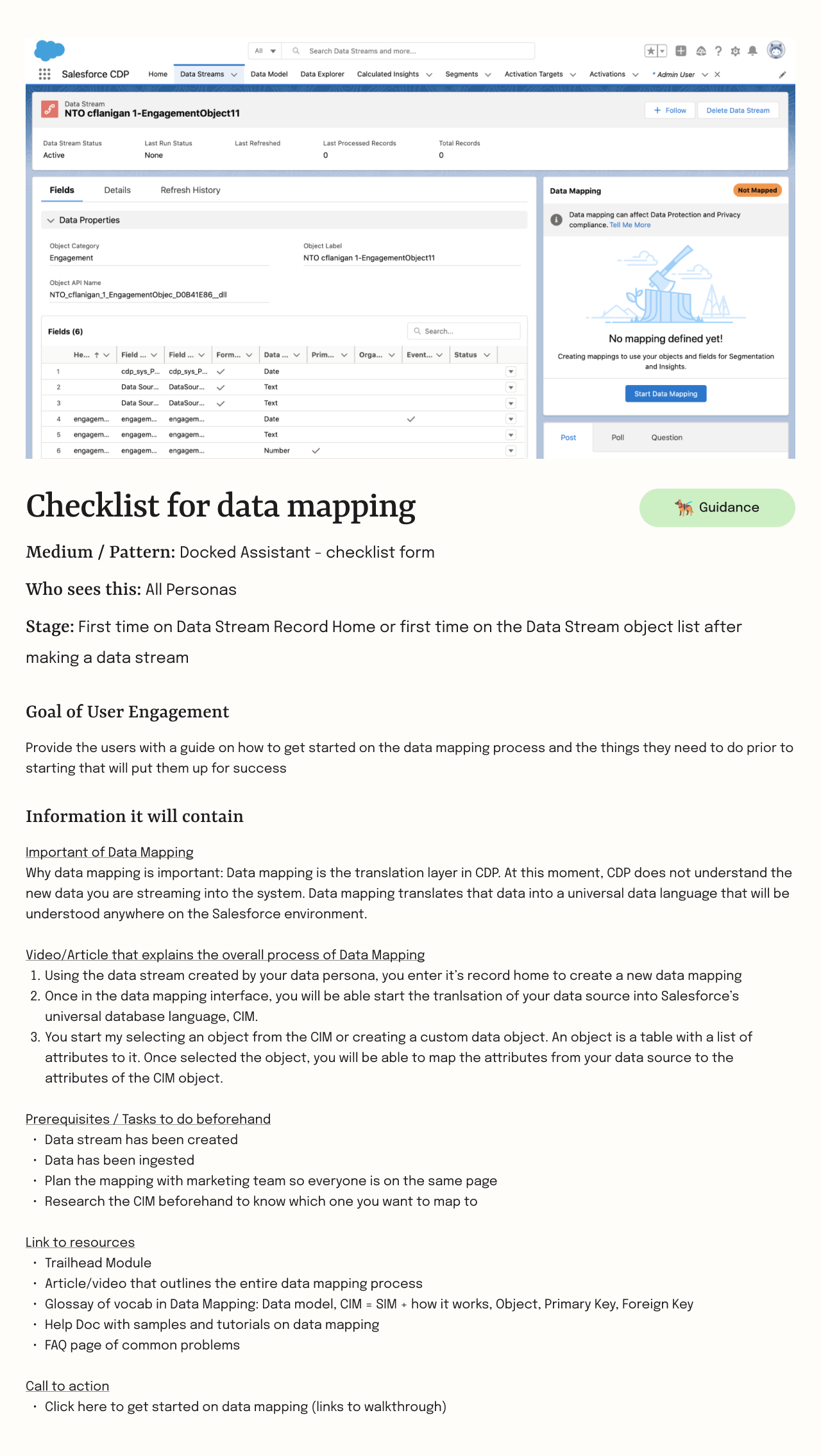
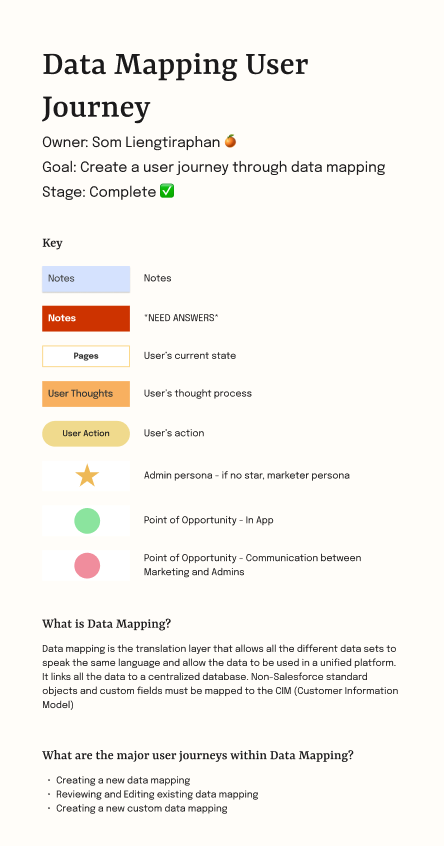
“My internship was completely remote. I found it necessary to create more documentation to make sure my ideas and designs was clear easy to understand. I actually found this really therapeutic to create.“
Project Context
Salesforce Customer Data Platform (CDP) allows users to unify audience data to create personalized interactions but was overwhelming and difficult to learn.
Customers have gone digital-first. And marketers must be data-first in order to engage with relevance, personalize every moment, and build trusted customer relationships. CDP is a powerful and flexible product that allows users to unify all their data about a user into a unified profile and create segments of audiences that help companies build better relationships with their customers through providing actionable insights and personalized interaction.
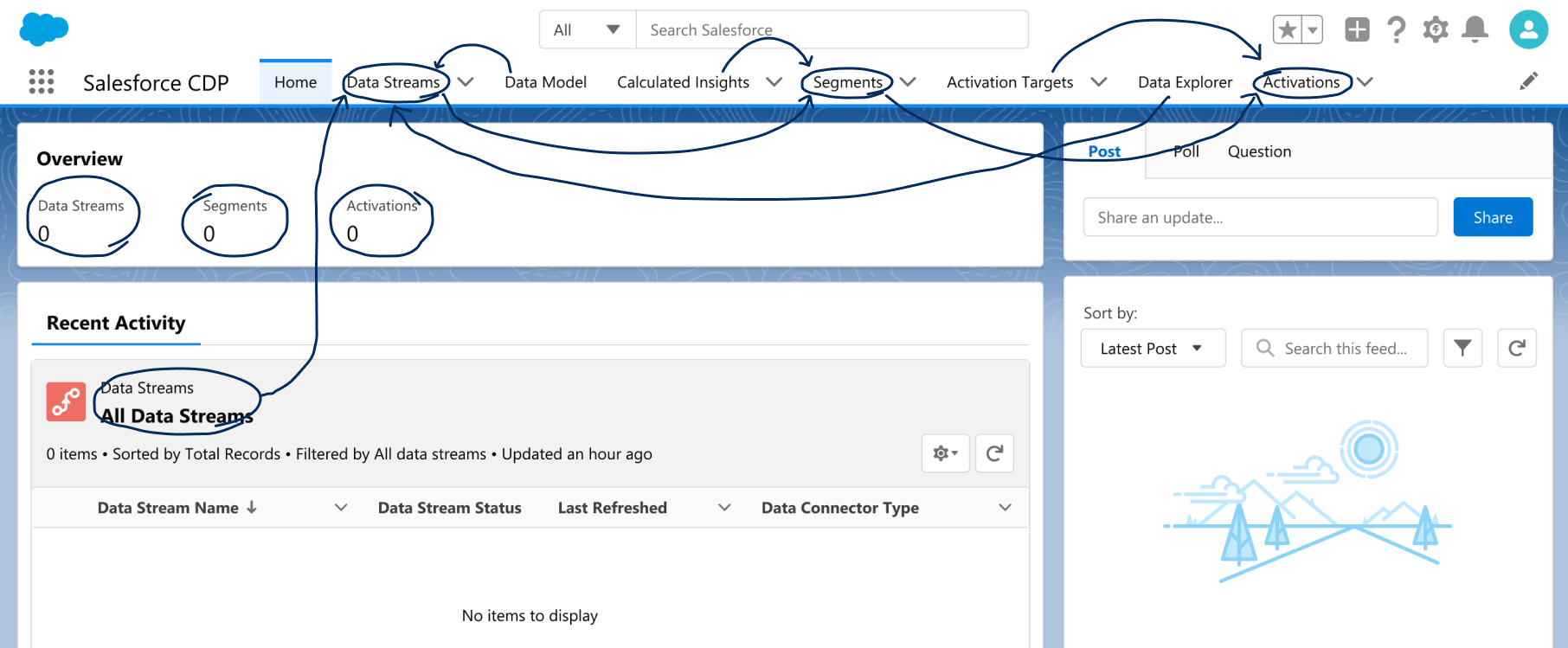
However, CDP’s power also leads it to be highly complex. It’s not a product people can just jump into. CDP’s flexibility also means that users can technically do anything they want, and this overwhelming amount of choice can be paralyzing.
Combined, those two reactions made the user feel confused and in need of someone to tell them what to do.
The Problem
How might we best assist our CDP users and set them up for success?
The Users
There are 3 main categories of users for Salesforce CDP: support, data, and marketing
Support: Salesforce Admins & Developers
Goal: Support is highly involved in the configuration process
Job: Setting up the infrastructure that allows data and marketing users to leverage that infrastructure
Data: Data Systems Architects & Data Scientists
Goal: Unify the data through streaming and translation.
Job: Unifying all of the marketing data into a single source (CDP), maintaining data integrity and accuracy, and contextualizing data for marketing users
Marketing: Marketing Managers & Marketing Specialists
Goal: Create a better relationship with your customers; thus, optimizing your marketing dollars
Job: Using your data to reach the right customers at the right time and right method through personalization
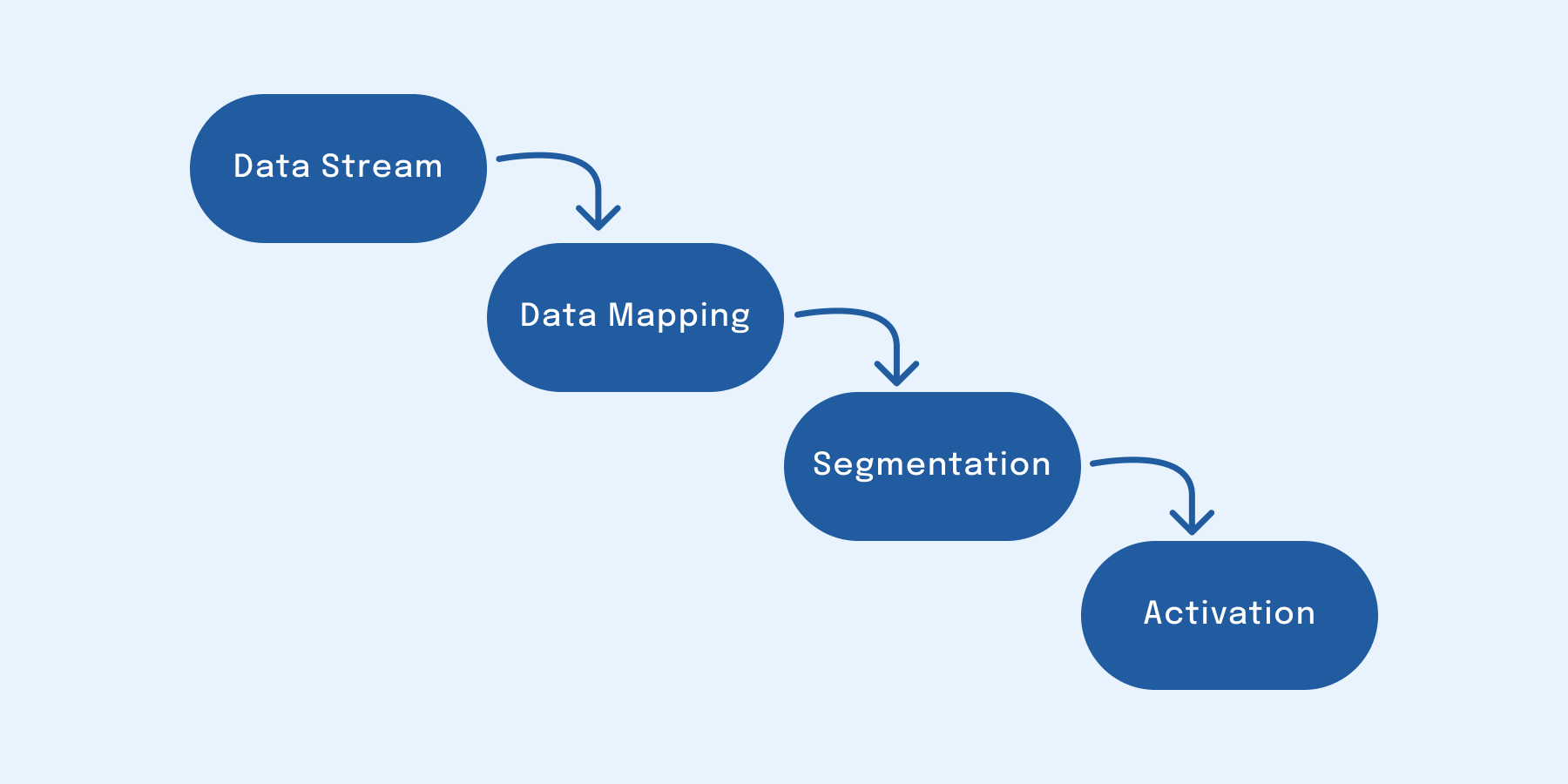
The overall workflow of CDP: It starts with streaming data into the system, in which each database requires different requirements. Once the data has been loaded and clean, it is mapped to the CIM (customer information model) data architecture. Once the data has been mapped, it is segmented to answer a specific market question. Once the segmentation is ready, it is activated to an execution software.
Scope and Constraints
This project's scope covered configuration, data stream, data mapping, segmentation, and activation features. The primary constraint was time.
Scope
The features list for Salesforce CDP is very long and interconnected. I focused on the main user journey that covers CDP configuration, data ingest, data mapping, segmentation, and data activation to lower the complexity.
Constraints
The main constraint for the project was time. I was slated to intern for only 3 months. Realistically, I knew that I would not be able to be a part of the development process as I estimated that I would take a month to onboard and learn the state of the product before I could go into designing. Thus, I only had 2 months to design.
Above: Overall file view of the user journeys and design concepts I was successfully able to create by the end of the internship
Project Goal
My project goals were to create a reusable user journey map of the state of the product and a prioritized list of CDP onboarding design concepts.
With the scope and constraints in mind, I set the realistic goal of my internship to produce artifacts that would aid my team can in completing the project after I left.
User Journey Map
The end-to-end user journey maps would be used to create audit CDP for to identify user engagement opportunities that would aid user onboarding. From the start, the maps would be created to be flexible. I knew that I would be handing this off to the team in 3 months and I didn’t want to create a throwaway artifact, but rather something easily reusable and clear.
CDP Onboarding Design Concepts
The designs would be created following my research and auditing process. My hope is to jumpstart the team’s production process by coming up with a large backlog of good ideas that the team would be able to take up with little ramp-up time. These ideas would be vetted and prioritized so the team knows which ones to focus on without having to read all the other ideas.
Above: Archived designs the checklist and walkthrough designs. The checklist is aimed at educating users of CDP prerequisites and off-platform tasks. The walkthrough highlights points of high consequence within a feature.
Process Summary
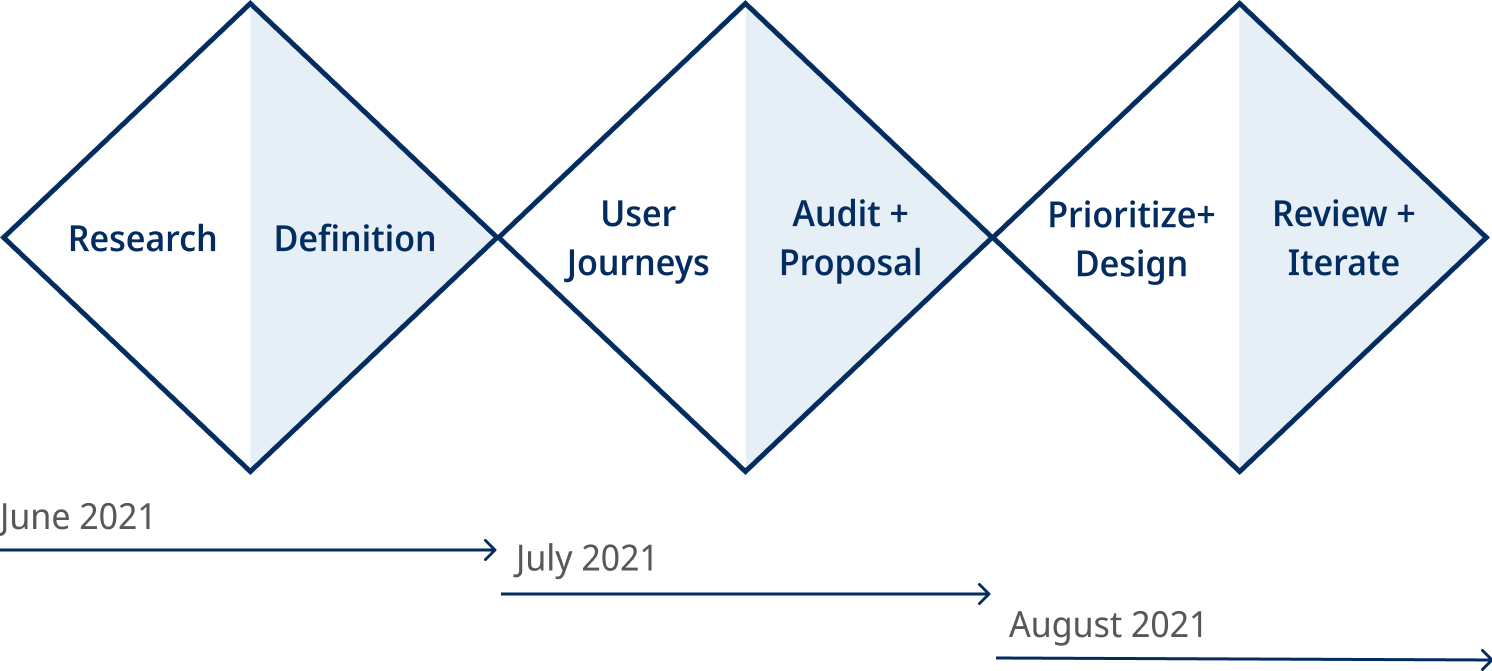
My first step was to create a timeline. It helped guide me throughout my 3 months and outlined my deliverables to keep me on track.
Throughout the process, I emphasized staying in a direct line of communication with my team and the department. As the product is a part of a complex system, I found it helpful to get as many points of perspective as possible. Other than constant contact, I also made a point to work in small segments and get feedback often. The team had a weekly design critique that I pushed myself to have something to show every week.
Research & Synthesis
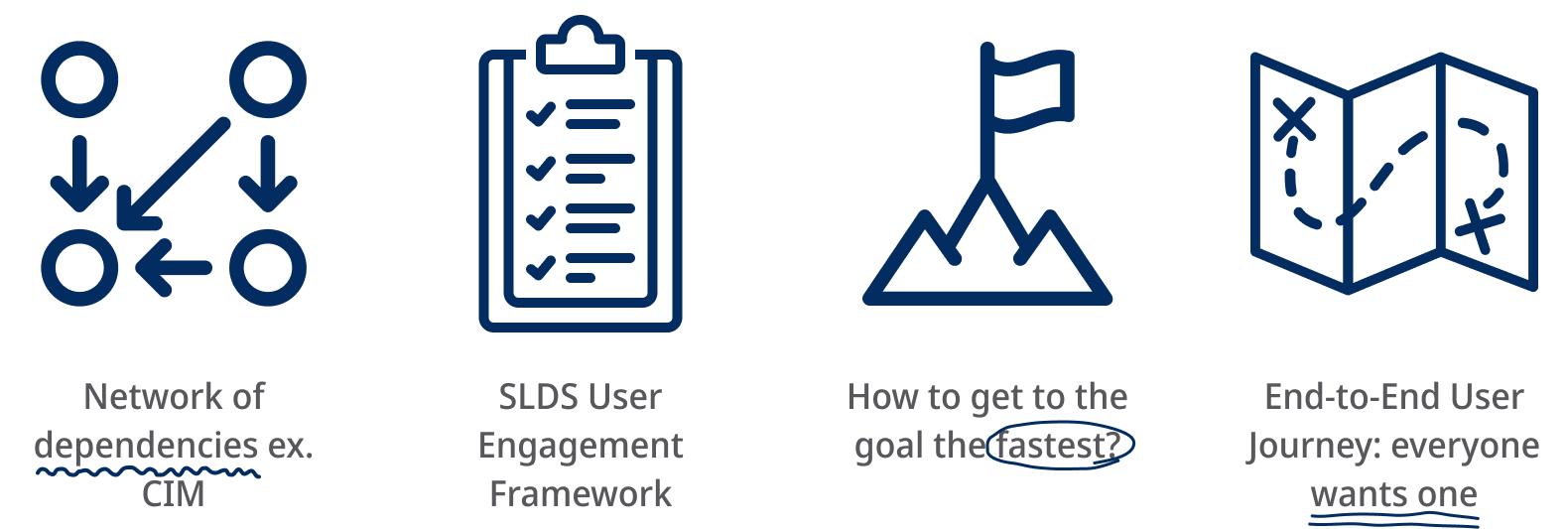
I also took this time to familiarize myself with the Salesforce Lightning design system user engagement framework. These were existing components within Salesforce that would be my building block for whatever design I created.
CDP was highly reliant on a network of dependencies familiar to users and required a large amount of prep work to run successfully.
CDP is highly reliant on a network of dependencies. Each of these dependencies was highly technical and each action created repercussions that could be felt in many areas of the platform. Specifically, the Customer Information Model or CIM — a method of universal data architecture — was particularly difficult for marketing users to understand as most do not have a technical background. These dependencies created a large learning curve that intimidated users.
User researchers also emphasized the large amount of prep work required to run CDP successfully. There were many touchpoints and conversations that needed to occur off-platform between the various teams. This clashed with the user’s desire to start using CDP as fast as possible.
Through research synthesis, the next step was to pinpoint which dependency was the most difficult for users to understand and how the onboarding process could aid the preparation phase for our users.
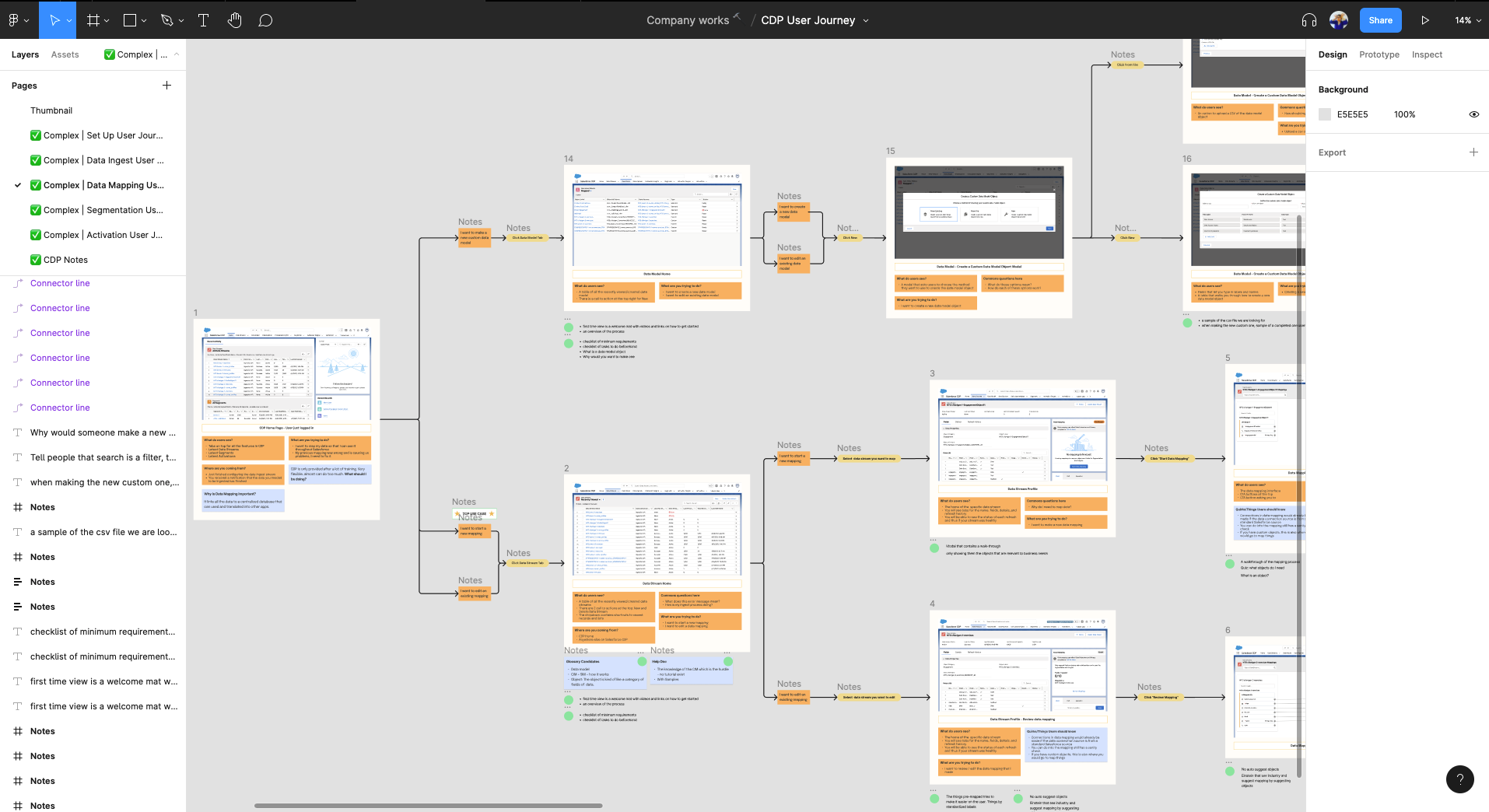
Above: Bird’s eye view of the Data Mapping feature’s user journey. Under each task are notes from the design audit I used the user journeys for.
User Journeys
I created detailed, end-to-end user journeys which not only helped aid me in identifying dependencies and bottlenecks but also grew into an internal tool that other teams utilized to more efficiently design features within CDP.
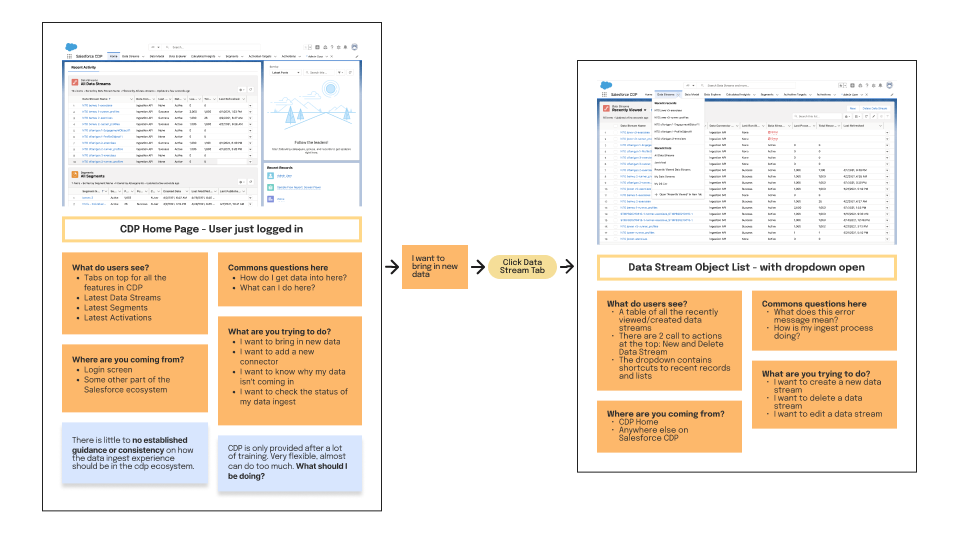
“According to feedback from my stakeholder, the detailed annotations were not only useful for internal projects but onboarding new team members as well”
Each different CDP feature had its own user journey. All user journeys were accompanied by a summary card that gave an overview of what each feature did and a key for the map.
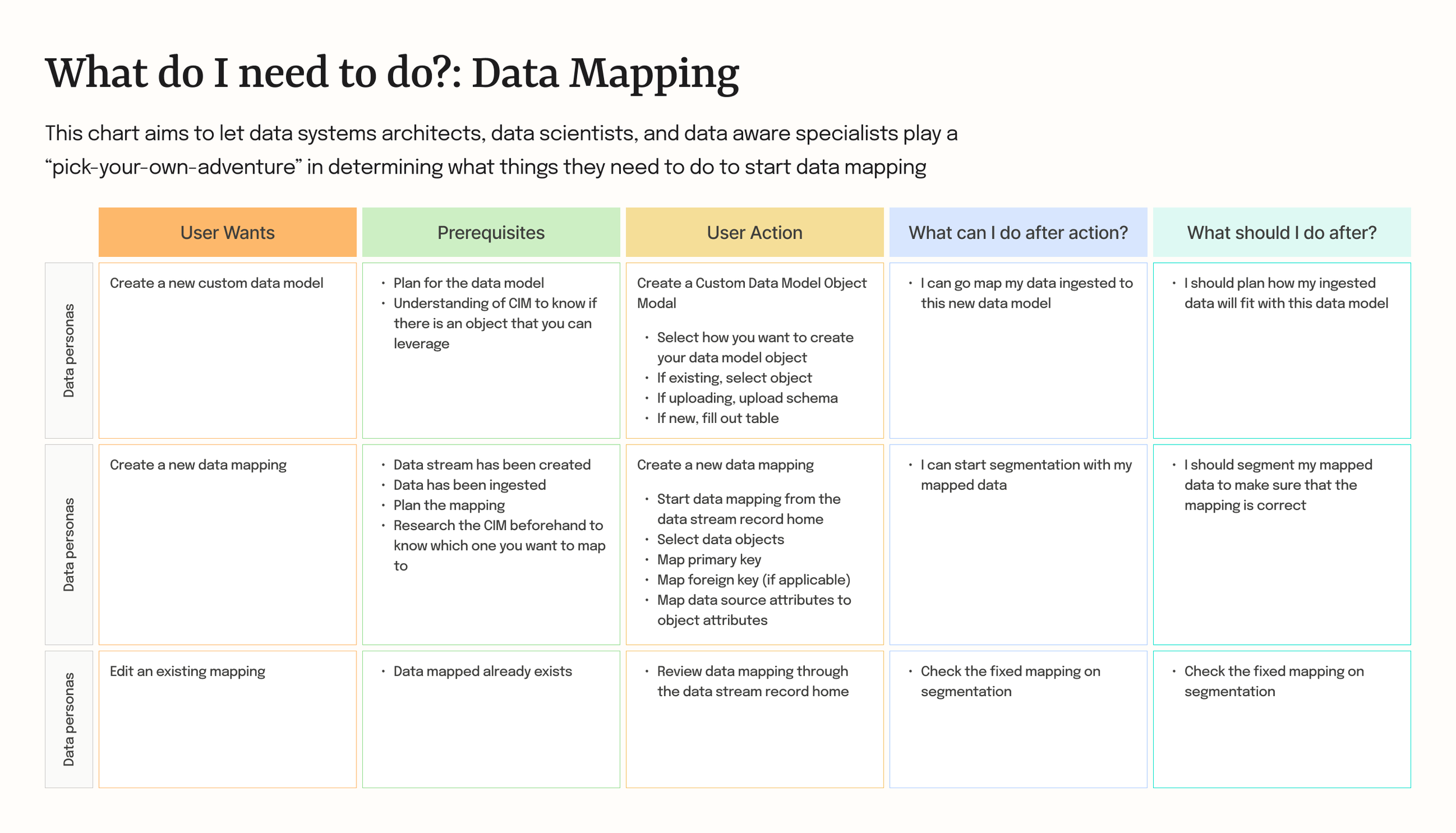
After I created user journeys, I created dependency charts to see which feature had the most connections. This helped to articulate specific bottlenecks in the overall workflow.
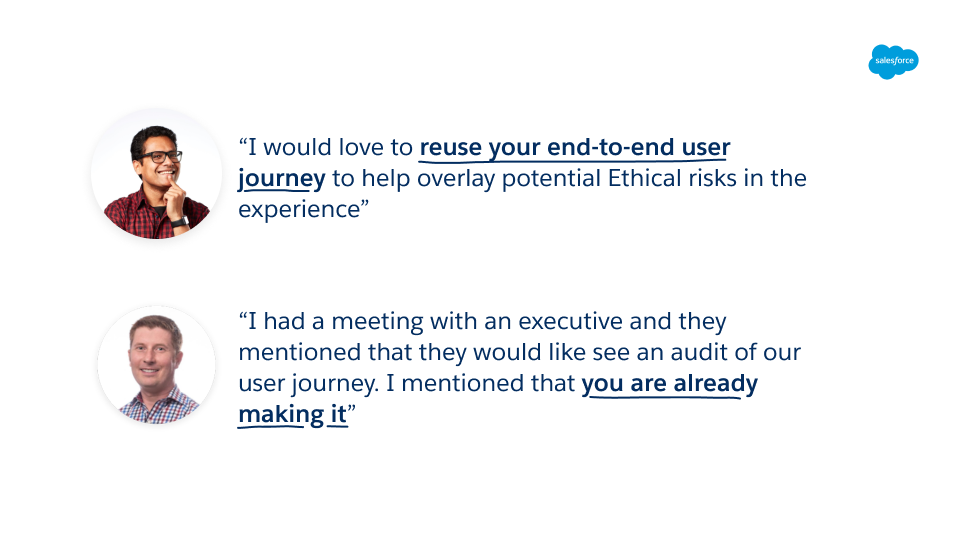
As I created these journeys, each feature’s journey was reviewed by stakeholders in regular intervals to ensure accuracy and missing elements. These showings unexpectedly created a lot of excitement within the department as they saw this as an internal tool to boost existing projects. Prior to my exit from my internship, I was informed that multiple had already been started that incorporated the maps I created. This included:
Department executive’s yearly design audit for feature improvements
An ethical grey-zone audit for GDPR and liability complacency
A storyboarding tool for content team to improve documentation
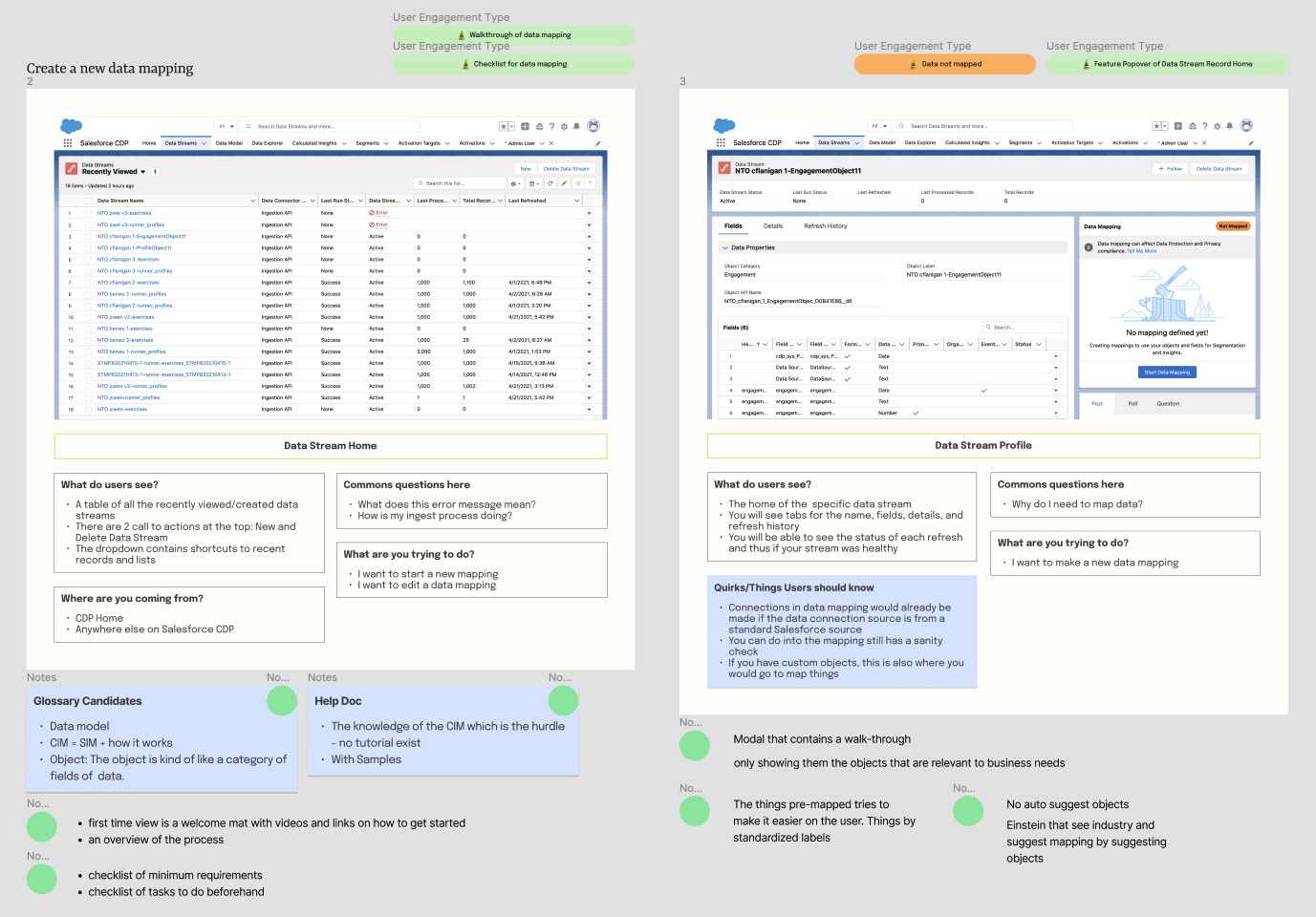
Above: Notes from the design audit from the Data Mapping feature. Green dots indicated opportunities for user engagement. Tags at the top right indicated design proposals that resulted from the audit.
Journey Audits
I conducted an audit to identify all potential areas that could benefit from user engagement.
Using the dependency charts and user journeys, I took note of specific tasks with high reliance on other tasks downstream, tasks with the most complaints from users, and tasks with the most off-platform prerequisites to complete. These audit points were verified through feedback from stakeholders.
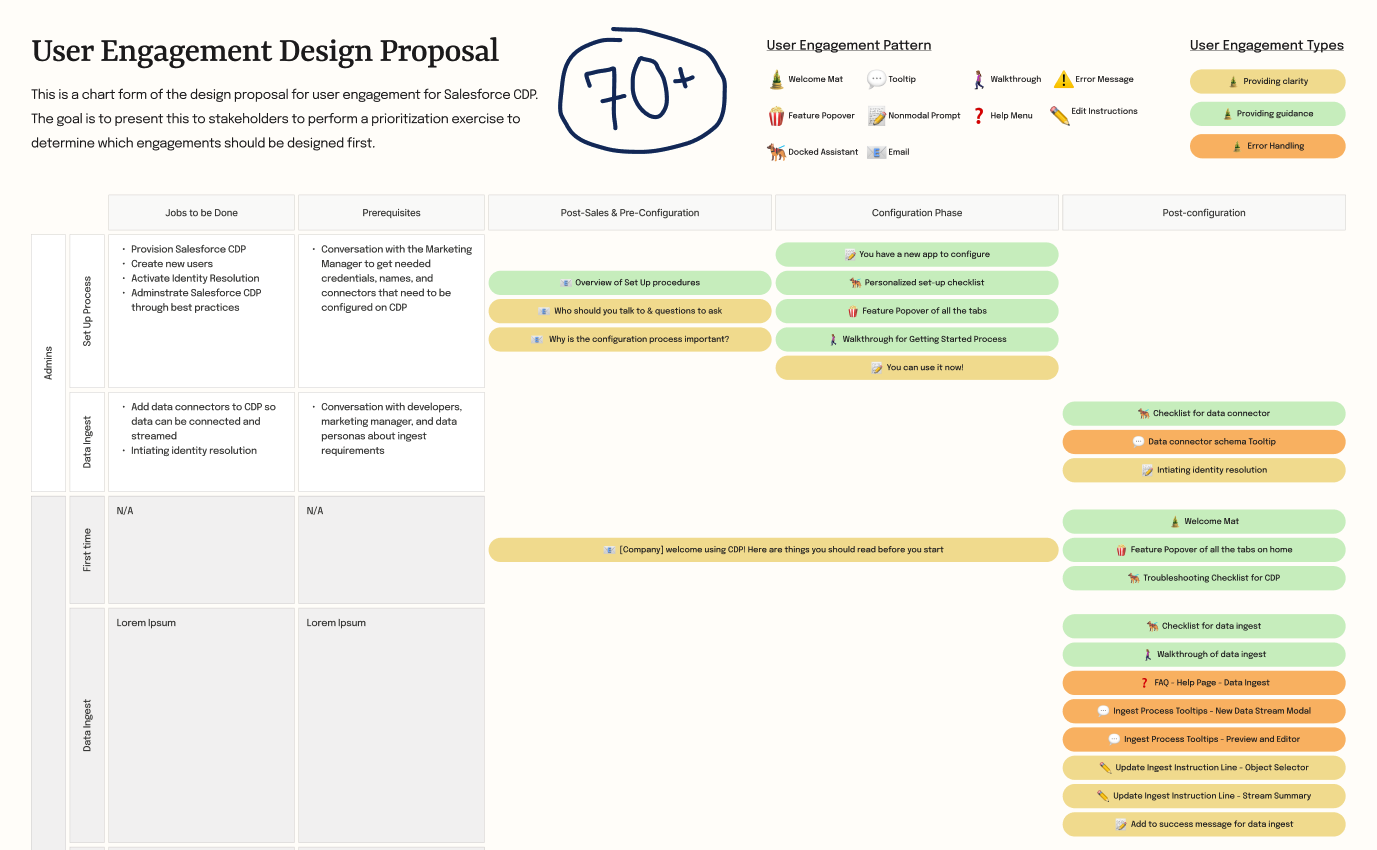
Above: A glossary of all the user engagement design proposals I created segmented by feature location. Each feature segment also contained background information and prerequsites.
Proposals
The audit resulted in 70+ interactions that were packaged into a detailed backlog for future development.
Each proposal came with a proposal card that contains what type of user engagement it is, the design system pattern, user, entry point, engagement goal, etc.
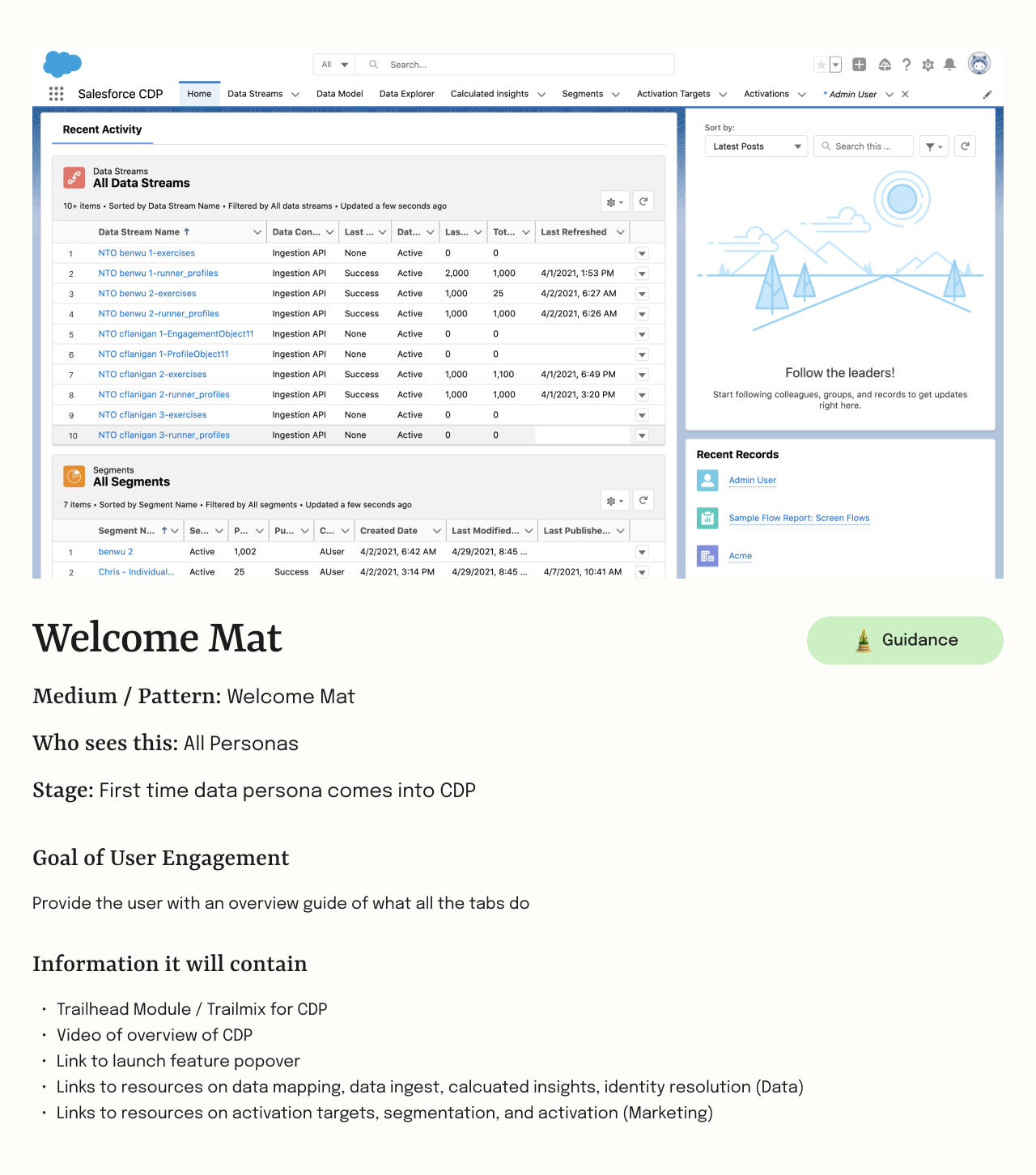
Above: Example design proposal for a welcome mat with onboarding information. All proposals come with a label that indicates what design system element and user engagement type.
The next step was to prioritize them by the most impactful design.
Prioritization
We prioritized designs that educated users about overall workflow located at critical product bottlenecks
We started by summarizing all our findings, artifacts, and interviews so far to find themes and patterns. Three main issues emerged.
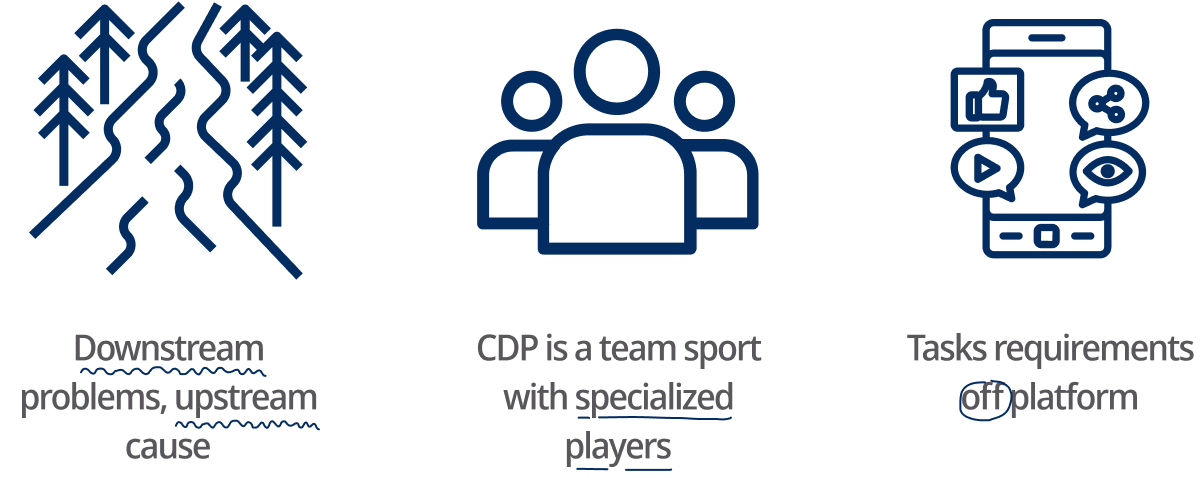
Downstream problems, upstream cause
Many issues that users face in CDP were not caused by something they did in their current product stage but were caused by something much further upstream. Most of these mistakes were caused by a non-complete understanding of CDP’s entire workflow. Designs that educate users about overall workflow would be useful here.
CDP is a team sport with specialized players
CDP has a lot of user types (see user section). All of these players are highly specialized and don’t have much understanding of other members’ workflows. This means that solving an issue can mean pulling in multiple users. Designs that aid collaboration would be more useful here.
Tasks requirements off-platform
CDP has many prerequisites that must be completed off-platform. These decisions have tremendous consequences later on. Thus, a thorough planning period with all stakeholders to create mutual understanding would be most beneficial in the beginning stages of CDP. However, this rarely occurs. Designs that enable planning and mutual understanding would be useful here.
These 3 issues established that any engagement that educated users about overall workflow would aid in collaboration and overall understanding of the product.
Above: One of 3 prioritization matrixes that I created. This one ranked proposals on a axis of high and low bottlenecks and overall workflow assistance vs. specific problems
Prioritization matrix
Looking at the interview notes and dependency charts, we identified that the data mapping and segmentation stage of the product was the critical bottleneck as it was identified to be the cause of most problems. Using what we learned so far, I created prioritization matrixes that prioritized different goals. Proposals that emerged in the top priority box over multiple matrixes were chosen.
12 proposals were selected and they fell into 3 categories: feature pre-start checklists, in-depth walkthroughs, and CIM education tools.
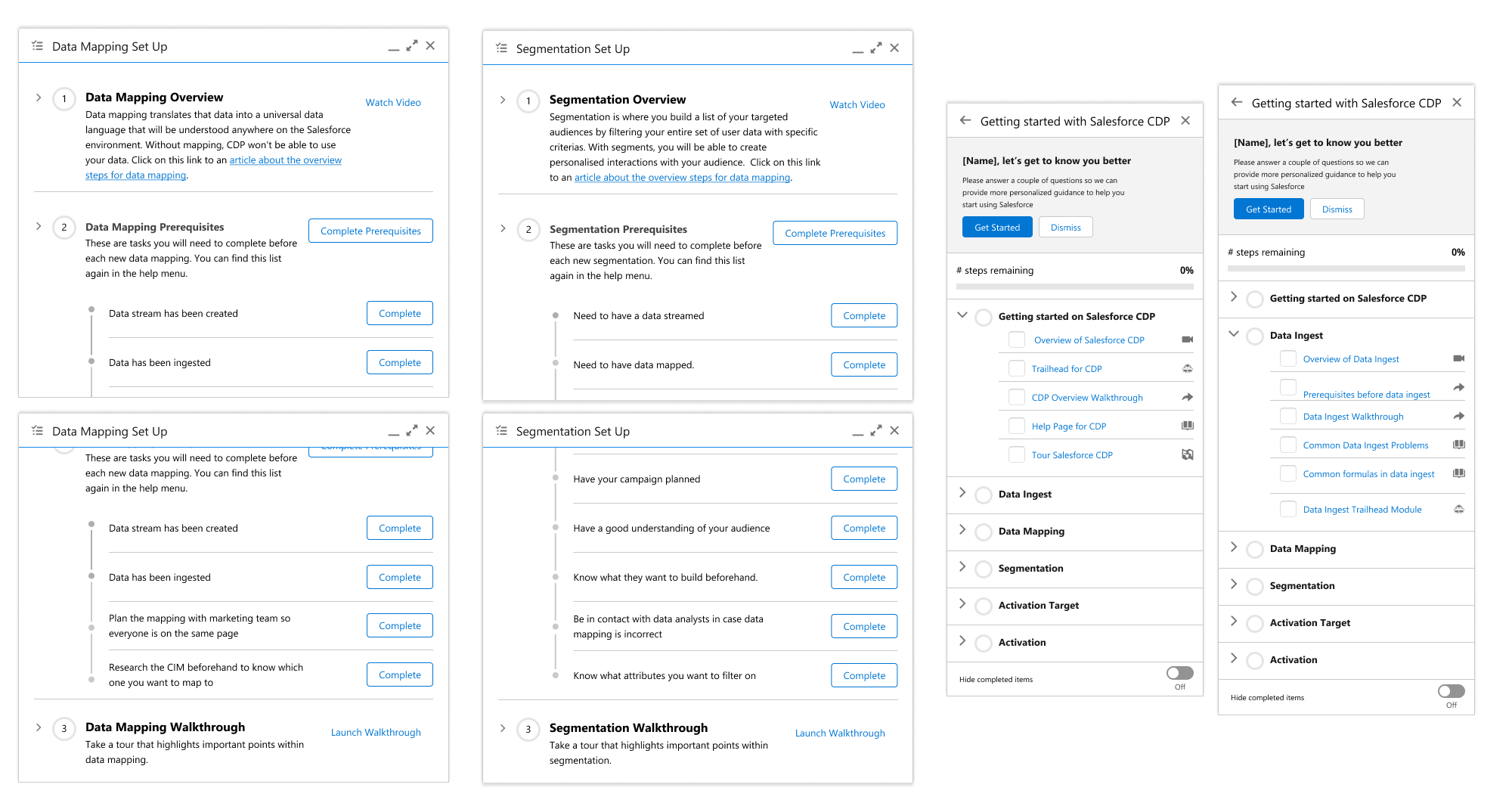
Above: The different designs of feature pre-start checklists using different Lightning Design system components
Onboarding Design Concepts
Feature Pre-start Checklists: presents users with on and off-platform prerequisites for CDP to mitigate downstream problems
These checklists would appear for new users getting started with CDP. It informed the users about task requirements on and off-platform and how each of the product features was inter-connected. These highlighted dependencies within the product that would mitigate downstream problems. Lastly, the checklists set up user expectations of the effort necessary to keep CDP running smoothly.
Above: Example of an in-depth walkthrough of the Data Mapping feature
In-depth Walkthroughs: step-by-step introduction of the product that emphasized consequential decision points within a workflow
These walkthroughs are segmented by individual features and provide a step-by-step introduction to the overall feature. The design highlighted consequential decision points within the workflow that had the most documented downstream problems. Click here to play with a walkthrough demo.
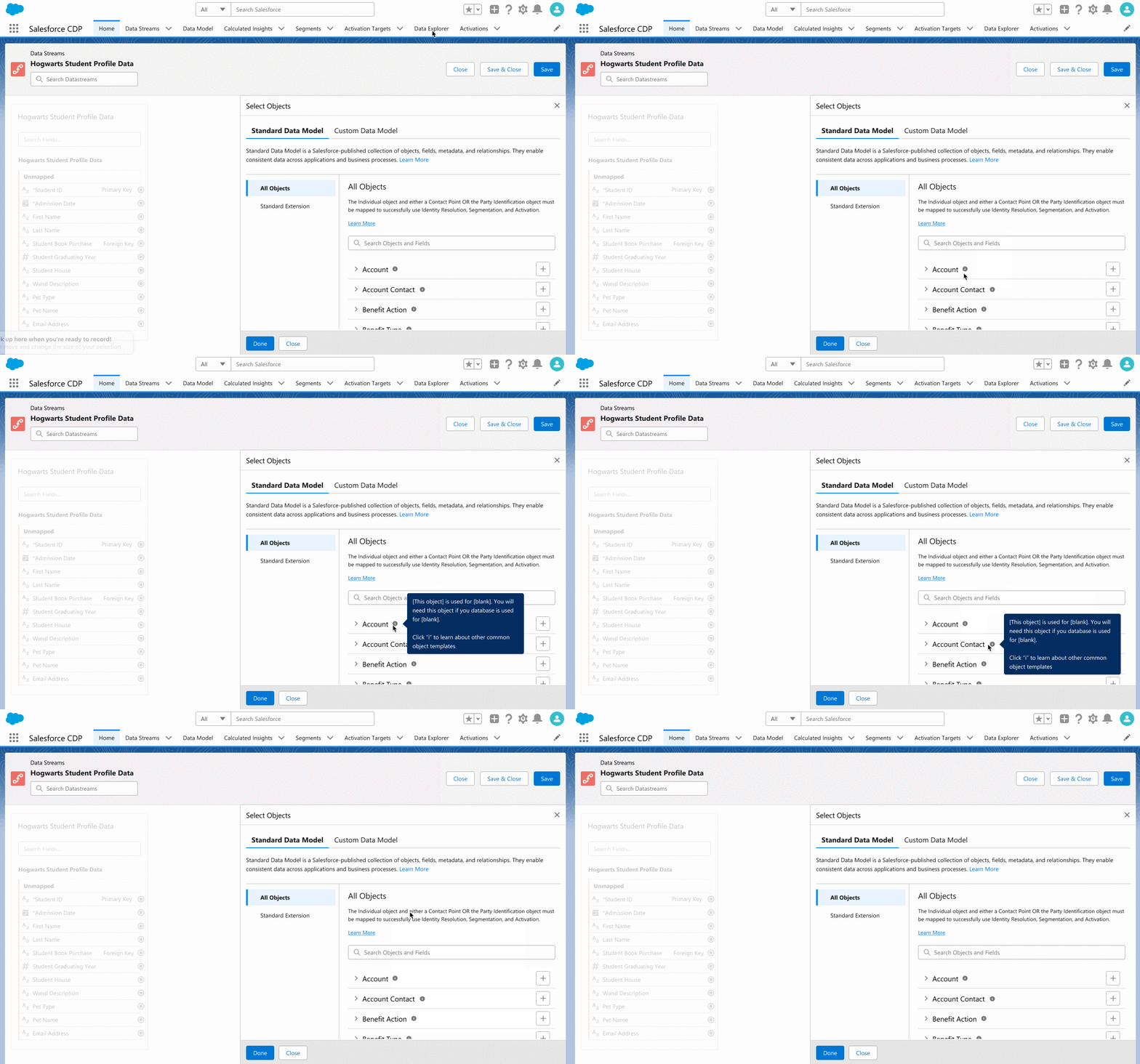
Above: A demo of the CIM education tool design during the data mapping process
CIM Education Tool: a centralized information center within Data Mapping to teach users about CDP’s database architecture
During prioritization, Data Mapping emerged as a critical bottleneck area because of the user’s difficulty learning CIM (Customer Information Model), the database architecture of CDP. This lack of understanding led to mislabelling and mistakes in the database that led to further problems downstream in features that depend on accurate data mapping. The CIM education tool’s goal is to teach users about the overall structure of CIM and its individual components. Click here to play with a CIM education demo.
Reflection
If I had more time: done more iterations, explored new CIM and features ideas, and asked for more feedback
I spent a lot of the beginning of the internship learning due to the complex nature of the project. While I found the time to be wholly fruitful and full of insight, it did limit the total amount of time I had to do actually designing and the number of iterations I could do. Towards the end, I also felt like I had just unlocked a gold mine of potential new ideas that I wish I had more time to explore. Lastly, I would have loved to get more feedback from perspectives outside my normal orbit such as the content or sales team.
Lessons Learned
Process over output
This project taught me the value of following through the whole design process. Allowing myself the full time I needed to conduct the full research and auditing process, gave me a fuller understanding of the product and produced better ideas than if I had gone right into the design.
Actively looked for feedback
Salesforce is huge and if one does not make the initiative, they can easily get lost. During this project, I learned to actively ask for feedback whenever I could, rather than wait for the weekly design critique or some other group meeting. I pinged people to ask for their opinion regularly and actively searched for people outside my usual group of stakeholders to find other opinions. This helped me broaden my understanding of the problem and opened up new potential ideas.
Working smaller, faster
This project also taught me the benefit of shrinking down my deliverables so that I could present them and ask for feedback faster. I used to wait until I had a full wireframe before asking for feedback. Now, whether it’s a rough sketch or just a hand-drawn map of a user journey, I ask for feedback earlier and more frequently.